€12.4 million in additional revenue through A/B testing!

Watch for free now
New Study: How AI Search is Changing SEO Visibility in E-Commerce
Read now


SEO doesn't need expensive tools to make an impact. With the right browser extensions, you can save time, reduce costs, and take immediate action. Here you can find out which add-ons are really worthwhile in everyday working life.
1. Which SEO browser tools and add-ons make your everyday work easier — from extensive analysis plugins to small helpers for quick checks.
2. How the use of these tools brings economic benefits — save time, carry out optimizations efficiently and measurably increase SEO performance.
1. Which SEO browser tools and add-ons make your everyday work easier — from extensive analysis plugins to small helpers for quick checks.
2. How the use of these tools brings economic benefits — save time, carry out optimizations efficiently and measurably increase SEO performance.
Speed counts in search engine optimization — and efficiency pays off directly in euros and cents. While large SEO suites are often expensive and complex, browser tools provide quick answers to technical questions, content reviews, or load times. They help you identify problems early on, use resources in a targeted manner and avoid unnecessary spending. In short: With the right add-ons, you can make SEO smarter, cheaper and more effective.
The tools below are a few of our favorites.
This versatile extension provides a lot of SEO-relevant information about the accessed page, such as:
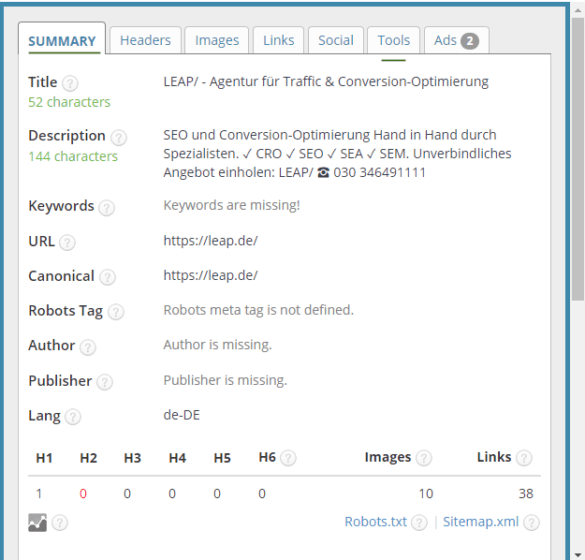
This is what the add-on looks like
And the other riders also have a lot to offer:
By the way, there are other analysis tools in the “Tools” tab (see figure).
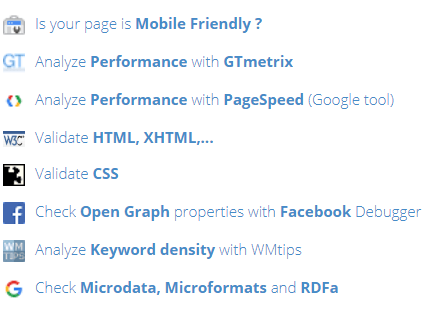
This is what the add-on looks like
This time-saving add-on provides direct links to some of the most popular SEO tools, such as:
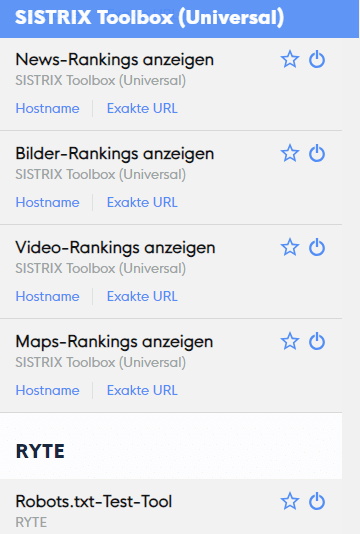
This is what the add-on looks like
The URL of the current page is sent directly to the respective tool. However, this requires an access/account.
A very interesting marketing tool not only for SEOs, which offers a global index, visitor numbers and many other key figures (KPIs).
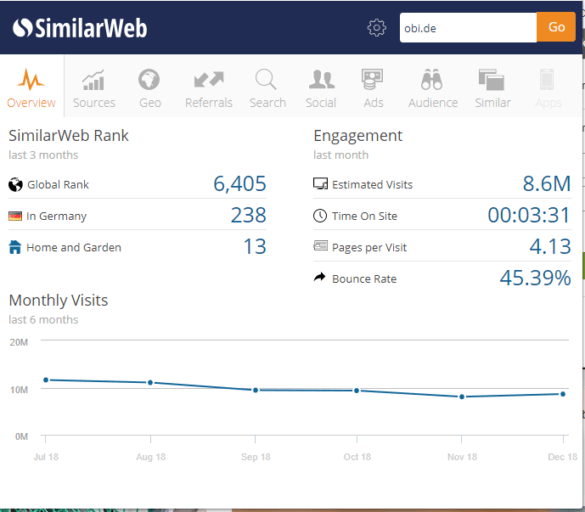
This is what the add-on looks like
In addition, you get information about countries, top links, keywords (organic/paid), social signals, target groups, etc. The whole thing is extremely helpful for competitor analyses. Of course, the data should be treated with caution. But as a free source, this application is definitely useful for an initial assessment.
.png)
This is what the add-on looks like
robot.txt is often the reason why websites cannot be found. It only takes a few seconds to look into it, and the tool then quickly detects errors and prevents your page from falling out of the index.
The humans.txt is the counterpart to robot.txt and has no technical effects. Under the motto “We're humans, not machines!” An initiative was launched. It is used to publicize the people who work behind a website. Google is already using this file to recruit new employees. Conclusion: A nice gimmick with an integrated fight game! :

This is what the add-on looks like
.png)
This is what the add-on looks like
In the event of a sudden crash in the Google ranking, root cause research is required. This is often due to a very specific change in the URL structure or the coding. The wayback machine simply compares the old code with the new code. For analyzing the current situation, the Internet Archive is an excellent tool and an ideal aid for searching for a link that was thought to have been lost and for identifying links that no longer work (HTTP status code 404).
The wayback machine also serves as proof that your own content was posted online at an earlier stage and thus pays off in the event of copyright disputes.
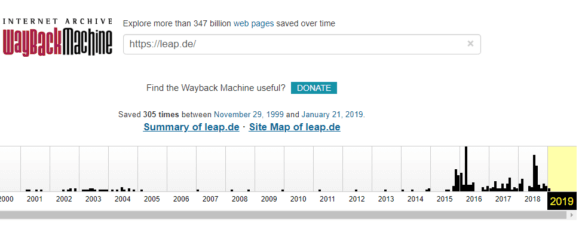
This is what the add-on looks like
Web Developer should already be included in Google Chrome and is a powerful developer tool with countless options:
.png)
This is what the add-on looks like
Many other applications will of course be added. Appropriate programming skills (HTML/ CSS) are clearly an advantage here. ...
And a few more “small but nice” tools
The following SEO plugins are not quite as comprehensive to use and are self-explanatory in themselves. And above all, they do what they should.
Redirect Path directly shows 301/302 redirects, HTTP status, and server IP.

This is what the add-on looks like
The BLC is an easy way to find broken links/404 errors on web pages.
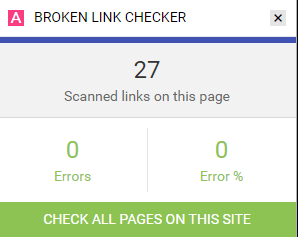
This is what the add-on looks like
kGen examines the number and weighting of keywords used on the website, displays a tag cloud and provides further statistical information on the number of words and HTML characters.
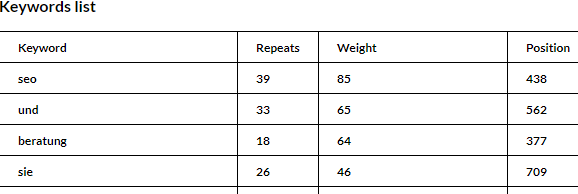
This is what the add-on looks like
Page load time analyses the loading time of a page. Extremely useful for finding causes of delays.
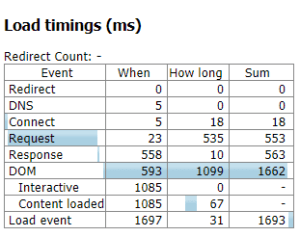
This is what the add-on looks like
What Font examines the font/size of the page text. Helpful for usability & mobile-first analyses. Simple, fast & elegant.
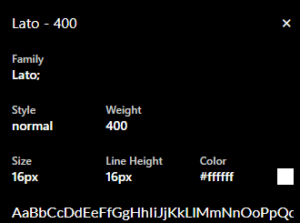
This is what the add-on looks like
All extensions at a glance, without having to dive into the Chrome menu. The displayed extensions can be used with the One Click Extension Manager
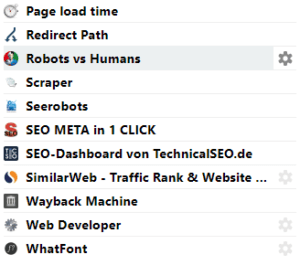
This is what the add-on looks like
SEO browser tools are small but extremely valuable economic helpers. They reduce analysis times from hours to minutes, avoid wrong decisions and immediately show you where there is potential for optimization. This not only saves internal resources, but also reduces external costs because you can do a lot of preparatory work yourself before expensive SEO software or an agency is involved. For companies, this means less blind flight, more efficiency and faster implementation of measures. Anyone who specifically uses the appropriate add-ons increases the ROI of their SEO activities and creates a lean, practical basis for sustainable visibility.

.png)


Build SEO in-house or outsource to an agency? Five questions to help you make an honest make-or-buy decision.

AI search has arrived in German online retail: It used to be about whether an AI answer appeared for your search terms. Today, it is about whether your brand is cited as a source within it.
.jpg)
Traditional SEO methods are no longer sufficient for growth. Today, brand clarity, decision-relevant content, and active visibility determine whether SEO generates revenue.
.jpg)
AI Search evaluates not only content, but the comprehensibility of entire brands. Unclear positioning reduces the likelihood of being selected.
.jpg)
AI traffic is still low, but converts significantly better. Users are pre-qualified, making conversion even more important than traffic.


.png)
.jpg)